

Our screens have our own instruction set, and our official website has our instruction set manual that you can read and get familiar with how to use.
https://www.stoneitech.com/media/upload/LargeFile/TOOL2019-User-Development-Guide-200327.pdf
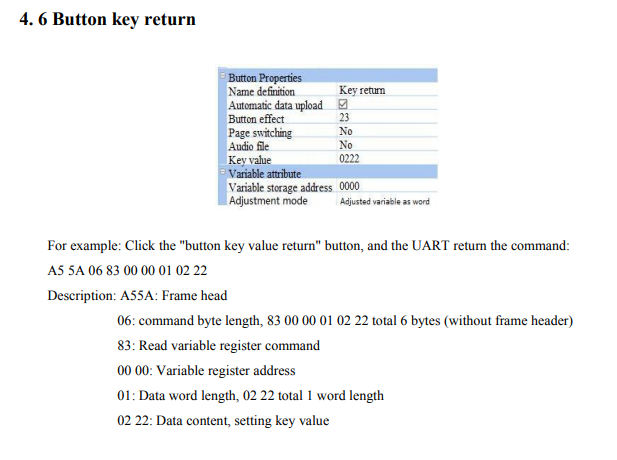
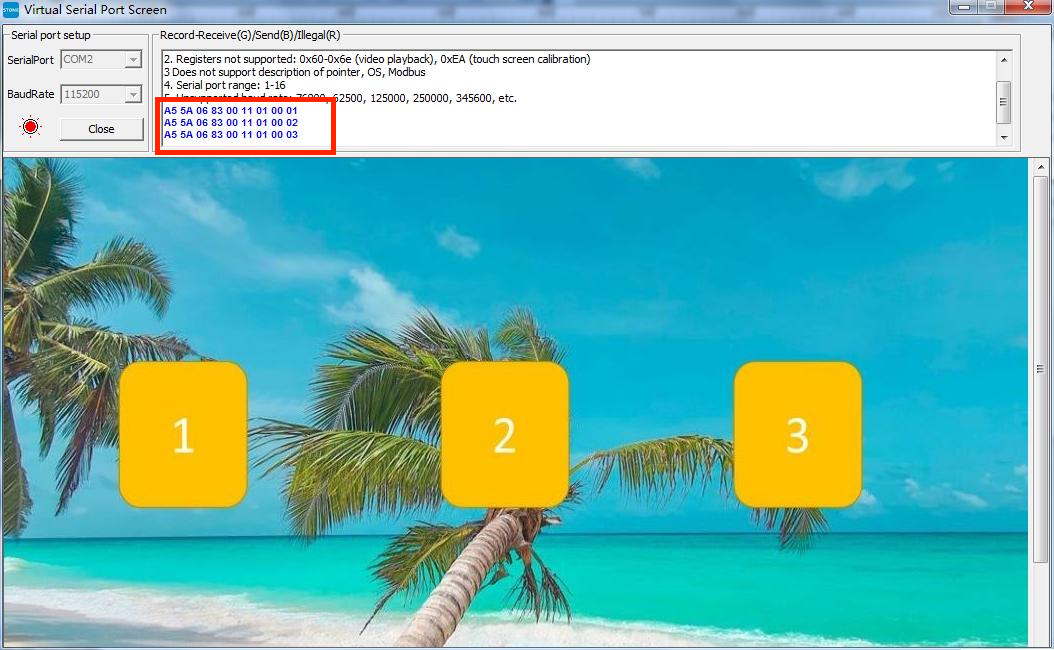
When you open the serial port tool and click the button key value return, you will see the following message.
When you are writing the code simply write like this(The code here is from my other projects and you can replace it as needed):

First, at the very beginning, the instruction of sending or reading is defined as 0, and the instruction is read in the loop, only one bit can be read at a time, so how many instructions are there, just do several loops to read all instructions.
After that, just use Serial. write() to write.